Advertisement

Friday, 11 March 2016

Lightning Review: Acer Predator XB281HK Gaming Monitor


Acer’s Predator lineup of gaming products marked the company’s return to the high-end gaming market. The Predator 17 is a beast of a gaming laptop, and this product here, the Predator XB281HK, is quite a monitor as well. That being said, just how good is this 4K G-Sync gaming monitor?

What Is It?

acer-predator-xb281hk-7
The Predator XB281HK is a 28-inch 3840 x 2160 4K gaming monitor under Acer’s Predator XB1 product lineup. What makes this gaming monitor stand out from its competition is the fact that it features Nvidia’s G-Sync technology, which is ideal for eliminating screen tearing.
G-Sync is especially useful for those who game at less than 60fps, where screen tearing is particularly problematic in comparison to those who game at higher frame rates. Considering the fact that the XB281HK is also a 4K gaming monitor, G-Sync is a godsend for gaming at that high of a resolution.
acer-predator-xb281hk-8
Connectivity-wise, the Predator XB281HK has a HDMI 1.4 port, a DisplayPort 1.2, four USB 3.0 ports, and a 3.5mm headphone jack. Interestingly, this gaming monitor also has two 2W built-in speakers.

Is It Any Good?

acer-predator-xb281hk-9
The XB281HK is a joy to game with. If you have a PC that is able to game at 4K resolution, it really is an experience 1080p monitors simply can’t offer. Everything looks crystal clear, and even a video game that isn’t very graphically-intensive like Grid 2 looks very, very gorgeous. The matte display is also a good way to avoid any issue with glare.
Despite the fact that the XB281HK has a TN panel instead of an IPS one, this is by far one of the best looking TN panels I’ve ever used. Sure, its viewing angles are no way better than an IPS panel, but when viewed head-on, this really is quite an impressive display with good colour reproduction.
acer-predator-xb281hk-3
acer-predator-xb281hk-2
For its intended purpose (that is, as a 4K gaming monitor with G-Sync support), the Predator XB281HK is a compelling display for gaming. The fact that the height-adjustable display can also be swiveled and pivoted add to the list of good features this monitor has. On top of that, it also has a 1ms grey to grey response time, which is perfect for gaming.

The Bad Stuff, Tell Me.

acer-predator-xb281hk-5
While G-Sync is an excellent feature, the 60Hz refresh rate of the Predator XB281HK is perhaps one of its most prominent downsides. While those who game at less than 60fps at 4K resolution – which is where G-Sync comes in to mask any screen tearing – will not mind this, those who prefer to game at a lower resolution will be limited by the XB281HK’s 60Hz refresh rate.
Other than that, it’s also worth noting – again – that the XB281HK has a TN panel. While this TN panel is definitely better than other panels of the same kind I’ve used in the past, the viewing angles, contrast and colour reproduction of this display are still nowhere as good as an IPS panel.
acer-predator-xb281hk-1
That being said, there are not many 4K gaming monitors with G-Sync support in the market. This fact alone – and it’s a very important one – make the XB281HK a compelling gaming monitor. This is even more true when we consider the monitor’s price tag of RM2,599.

Should I Buy It?

acer-predator-xb281hk-6
If you need a 4K gaming monitor, the Acer Predator XB281HK is well worth a consideration or two. It is well-built, supports Nvidia’s G-Sync, and most of all, priced rather well at RM2,599.
The only real concerns lie in the fact that the XB281HK uses a TN panel and has a 60Hz refresh rate. If these do not bother you, this is a very compelling gaming monitor that offers quite a lot of value for money.
acer-predator-xb281hk-4

Exclusive: Just How Good Are These Sample Images Taken With the Xiaomi Mi 5?


At the global announcement of the Mi 5 smartphone, Xiaomi spent a sizeable amount of time concentrating on the new 16MP Sony sensor on the Mi 5, which alongside the new four-axis OIS module promises exceptionally great images.
Besides Xiaomi VP Hugo Barra’s sample image released ahead of the launch, actual sample images taken with the Mi 5 are virtually non-existent.
Thankfully, we’ve got some to share and more importantly, give a glimpse of what the Mi 5 is capable of in the camera department.
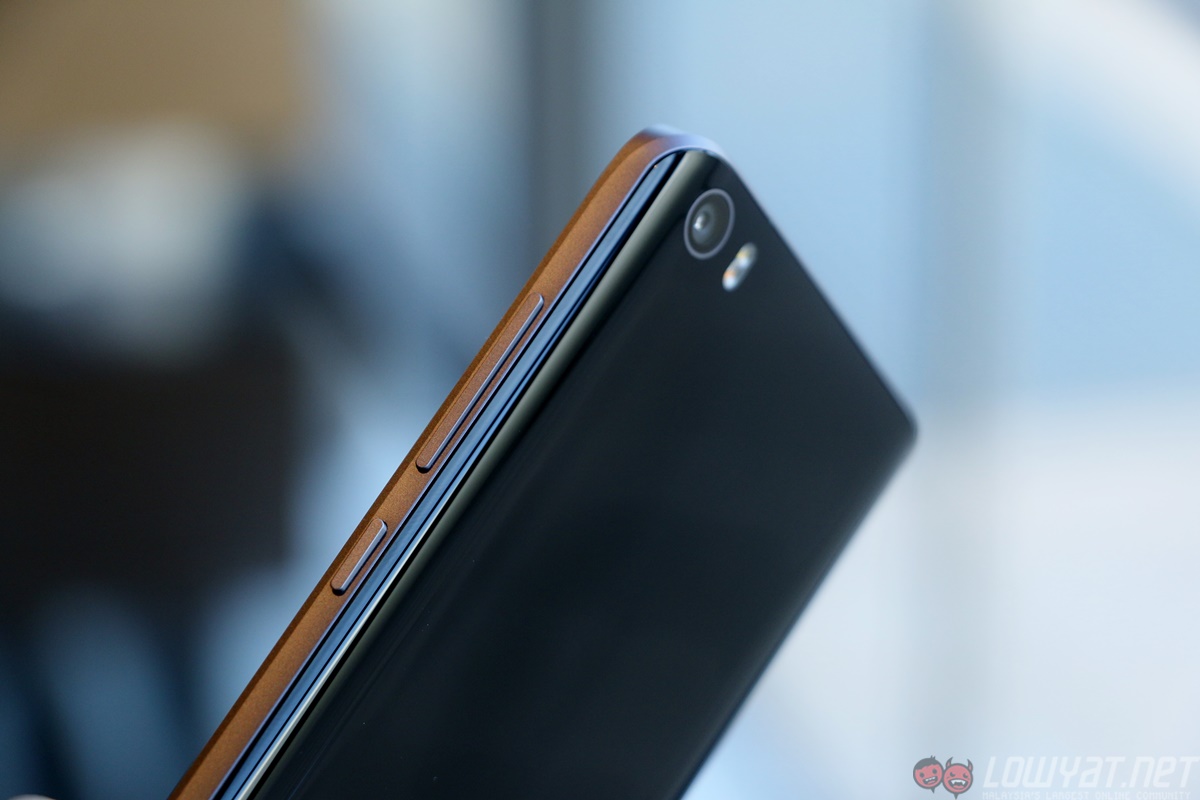
xiaomi-mi-5-hands-on11
These photos were taken with the Mi 5 shortly after the launch event in Spain, and were presented to us without alteration. Xiaomi has requested that we do not reveal the source of the photos, but confirmed that the photos were indeed taken with the Mi 5.
After going through the sample images below, you can see that the Mi 5’s camera is definitely impressive – but there are some post-processing issues that presented itself in some shots.
All images can be viewed in full resolution by clicking on them, or opening them in a new tab (caution: 4-7MB per file)
xiaomi-mi-5-sample-image-14
xiaomi-mi-5-sample-image-15
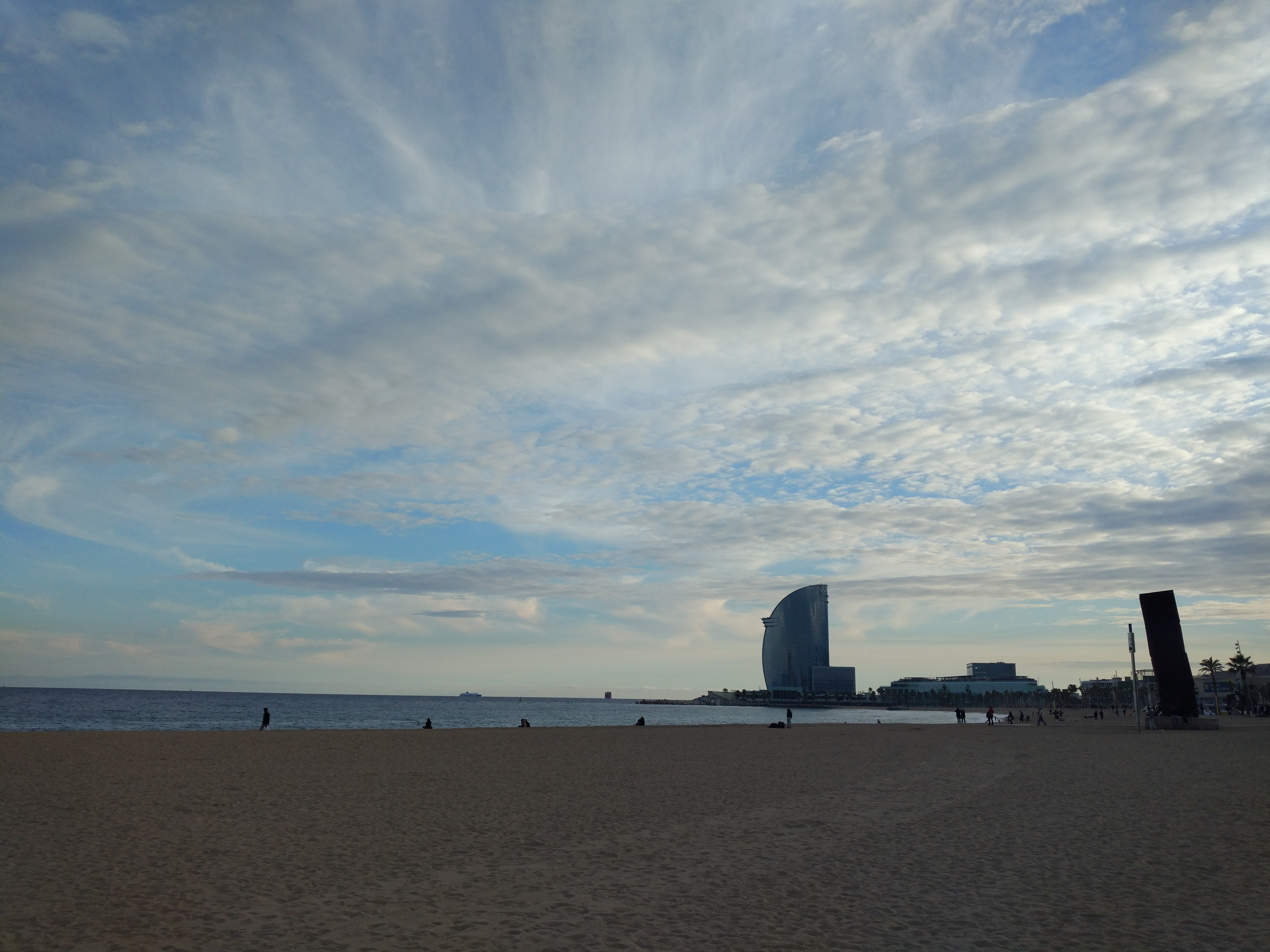
One major, repeated example is the colour reproduction of the clouds: they’re simply too saturated. Having been in the same city during the time the photos are taken, I can safely say that at no time were the clouds as brilliantly blue as they appear in the images above.
This is important with some context. I use a Samsung Galaxy Note 5 as my daily driver, and while its camera is fantastic, it is also guilty of slightly saturating colours to make them look more appealing. Hence, for me to say that the Mi 5 oversaturates the skies, it can be overbearingly saturated for many others.
xiaomi-mi-5-sample-image-2
xiaomi-mi-5-sample-image-9These two images are a lot more realistic representations of the Barcelona sky.
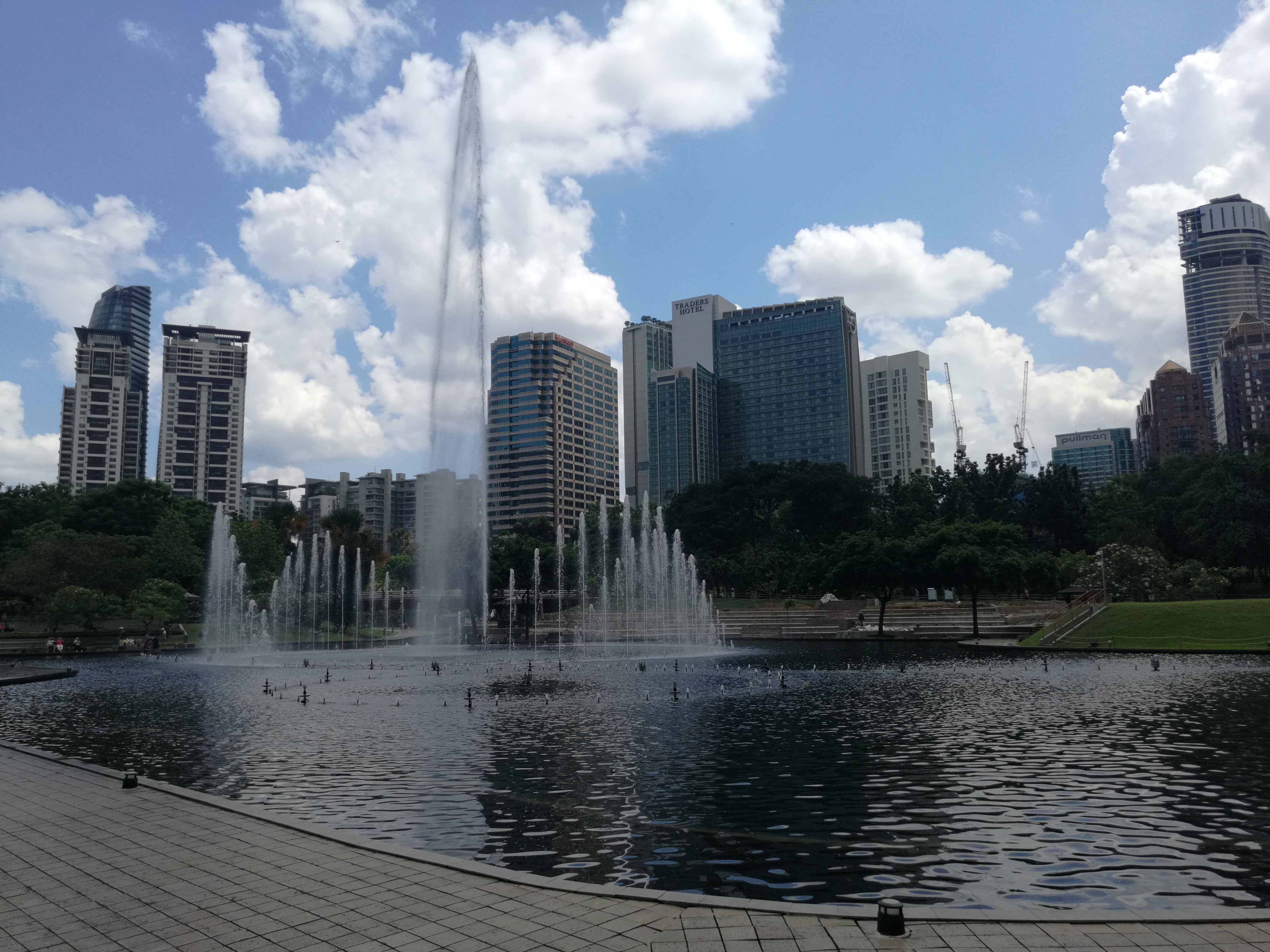
That said, the Mi 5’s ISP preserves details very well in daylight outdoor shots, while indoors, noise is kept impressively low.
All images posted here were taken in Auto HDR mode, resulting in impressive balance in foreground and background exposure.
xiaomi-mi-5-sample-image-20
xiaomi-mi-5-sample-image-11
xiaomi-mi-5-sample-image-22Unfortunately, Auto HDR also somehow removed the leg from one female tourist.
Because the images appear to be processed to saturate colours by default, food photos look amazingly tasty. The punchy colours enhance the look of both the seafood paella, the shrimps, and regional squid dish.
xiaomi-mi-5-sample-image-7
xiaomi-mi-5-sample-image-23
xiaomi-mi-5-sample-image-6Close up shots like this reveal the sensor’s impressively shallow depth of field, lending a soft bokeh in both the foreground and background.
There is one key factor that cannot be shown here but should still be pointed out. MIUI, the Android ROM that runs on all Xiaomi smartphones, lack a “quick launch” gesture for the camera. Sure, there is the stock Android shortcut from the lock screen, but it isn’t as efficient and as fast as Samsung’s astonishingly useful quick launch feature for the camera, where it can be activated at any time by pressing the Home button twice.
As they say, the best camera is the one you always have with you – but it’ll be an even better one if you can launch it easily and quickly with one hand!
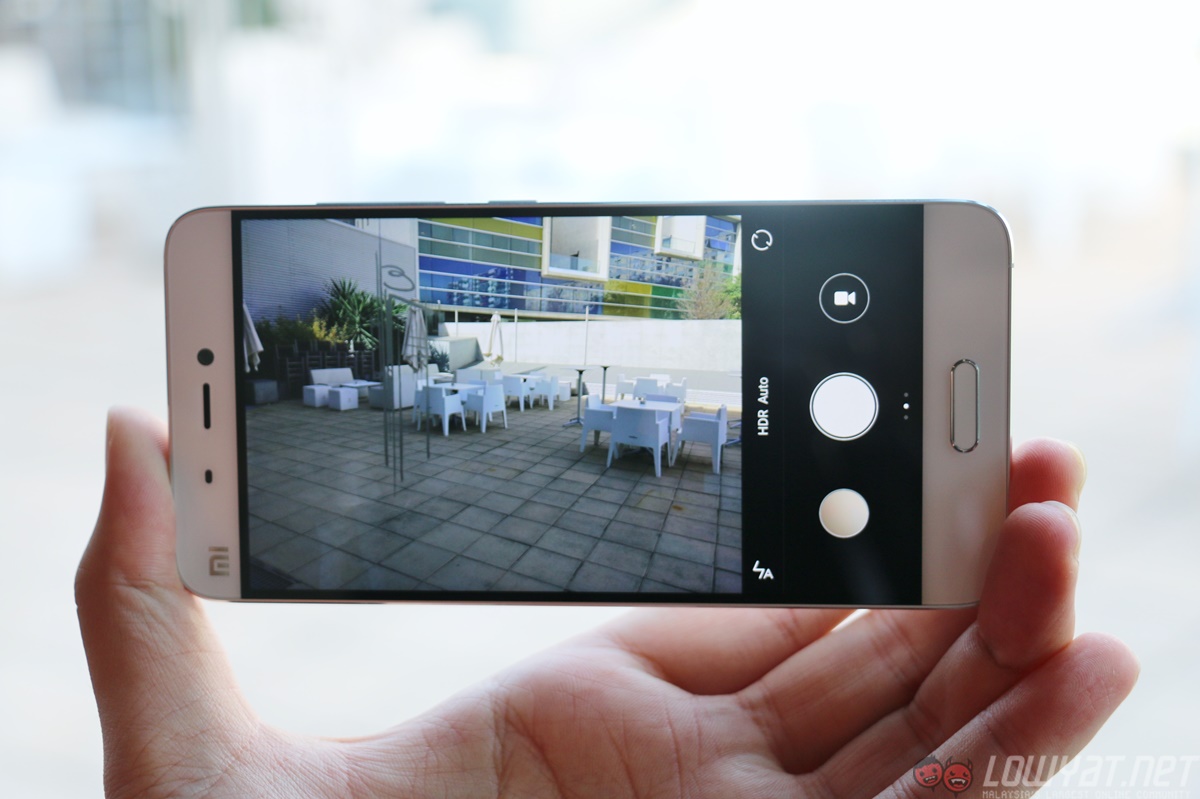
xiaomi-mi-5-hands-on22
Overall, these sample images give a strong indication of how capable the Mi 5’s camera can be. Given that it’s only available in China at the moment, there is still time for Xiaomi engineers to iron out the camera software and deliver an even better camera experience.

Full Sample Image Gallery:

xiaomi-mi-5-sample-image-1
xiaomi-mi-5-sample-image-12
xiaomi-mi-5-sample-image-22
xiaomi-mi-5-sample-image-3
xiaomi-mi-5-sample-image-2
xiaomi-mi-5-sample-image-21
xiaomi-mi-5-sample-image-20
xiaomi-mi-5-sample-image-4
xiaomi-mi-5-sample-image-5
xiaomi-mi-5-sample-image-19Panorama image – best viewed in full resolution

xiaomi-mi-5-sample-image-18

xiaomi-mi-5-sample-image-17

xiaomi-mi-5-sample-image-13

xiaomi-mi-5-sample-image-15

xiaomi-mi-5-sample-image-16

xiaomi-mi-5-sample-image-14

xiaomi-mi-5-sample-image-8

xiaomi-mi-5-sample-image-9

xiaomi-mi-5-sample-image-6

xiaomi-mi-5-sample-image-7

xiaomi-mi-5-sample-image-23

xiaomi-mi-5-sample-image-11


xiaomi-mi-5-sample-image-10

Huawei Mate 8 Hands On: A Promising Flagship with an Interesting Price Tag


The Huawei Mate 8 has just been launched in Malaysia, and it’s quite a big deal, considering that Malaysia is one of the first few countries to receive the device officially outside of China. As usual, we got our hands on with Huawei’s latest phablet at the launch event, and we have to say: the Mate 8 is an interesting flagship smartphone.
First, let’s talk specifications: the Mate 8 has a 6-inch 1080p IPS display, a Kirin 950 2.3GHz octa-core processor paired with up to 4GB of RAM, 32GB or 64GB of internal storage, a microSD card slot, and a sizeable 4,000mAh battery. Rounding out the specifications are a 16MP rear camera with optical image stabilisation (along with phase detection autofocus), an 8MP front-facing shooter, a rear fingerprint sensor, and Android 6.0 marshmallow out of the box.
huawei-mate-8-my-launch-116
huawei-mate-8-my-launch-15
One of the biggest concerns with the Mate 8 is its 1080p resolution. Considering that the smartphone has a large 6-inch display, many were worried that the display wouldn’t look quite sharp, which is an understandable concern. That being said, I didn’t notice any issue with the panel’s sharpness, although it’s worth noting that I’ve only spent a short time with the Mate 8.
Speaking of the Mate 8’s display, there is something that particularly stood out to me when I got a quick look at the device a few weeks ago: its screen-to-body ratio. I love how minimal the top and bottom bezels of the Mate 8 are; it reduces the dimensions of the phone quite considerably, which in turn makes it easier to use and hold the smartphone as well.
huawei-mate-8-my-launch-110
huawei-mate-8-my-launch-18
Build quality is also one of the most noteworthy aspects of the Mate 8. It feels solid, and the all-metal construction of the device is nice to the touch. It reminds me of the Huawei Mate S‘ excellent build quality, which is a very good thing. Other than that, navigating around the Mate 8’s home screens and menu is very smooth and zippy; it doesn’t take much time to open apps as well. The Kirin 950 processor seems to be up to the task, although it remains to be seen how it will perform in everyday usage.
huawei-mate-8-my-launch-115
In the camera department, the Mate 8 shows potential. I’ve managed to get some daylight shots with the smartphone, and the final images are rather impressive, although some shots seem to be rather underexposed. Then again, we were told that the Mate 8 I’ve tested was not running on final software, which may affect the camera’s performance.
The Huawei Mate 8 is without a doubt a compelling flagship smartphone. It is priced well for a flagship device (it retails at RM2,099 and RM2,399 for the Standard and Premium variants respectively), and its screen to body ratio is one of my favourite aspects of the device. That being said, this is merely my first impressions of the Mate 8. It will only be fair to give this flagship Android smartphone a final verdict in a full review.
huawei-mate-8-my-launch-112
huawei-mate-8-my-launch-111
Regardless, I’m excited to spend more time with the Mate 8 in an extended review. Through my brief time with the device, I can confidently say that it’s a more complete smartphone over the Huawei Mate S, although the Mate 8 does have some tough competition from other big players.